
Enrolment statistics
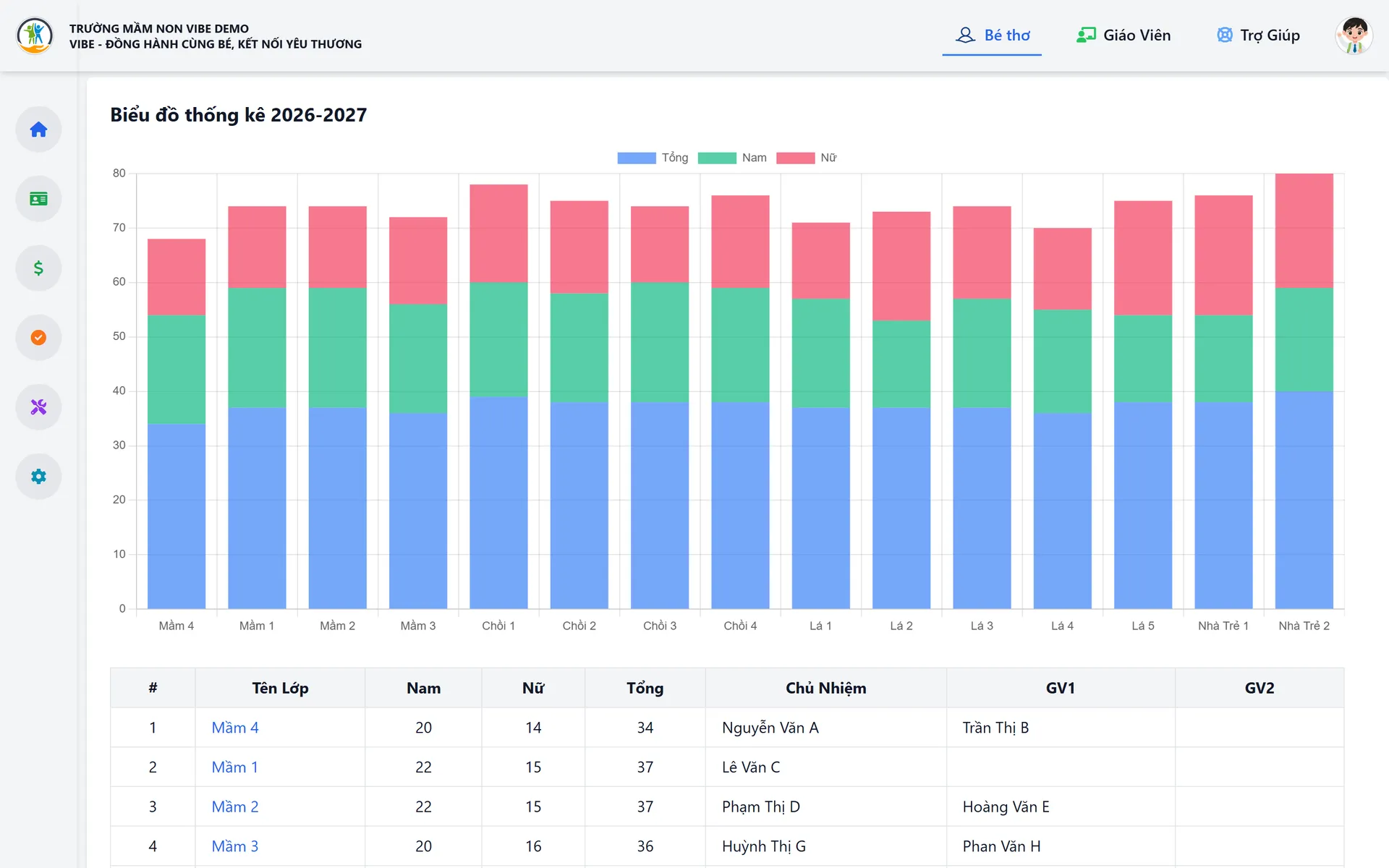
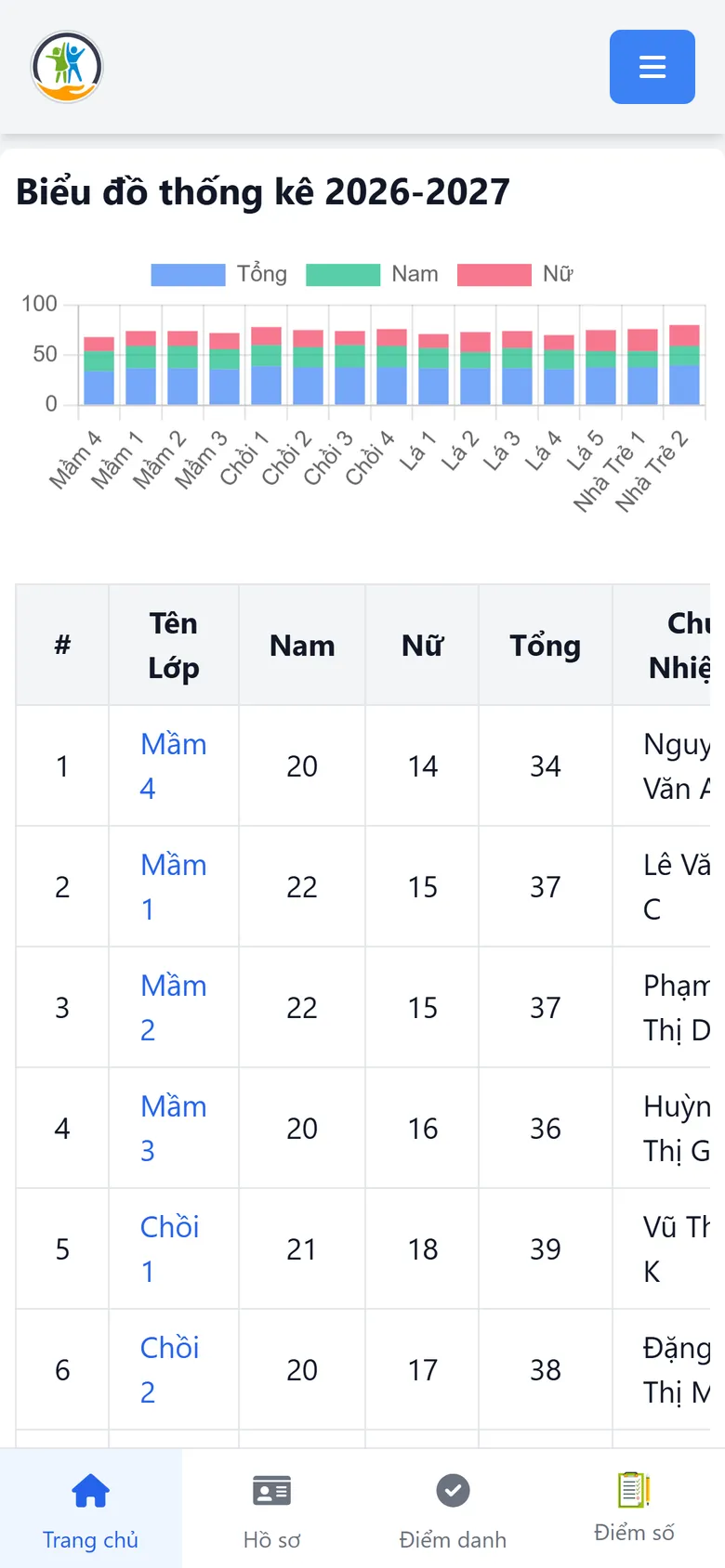
School-wide enrolment chart on the home page.
- Boys, girls and totals per class
- Homeroom and assistant teachers
- Jump straight to a class list
VIBE
Preschool management software
VIBE – “growing with every child” – helps preschools manage children’s records, teachers, monthly fees, attendance and evaluations by school year.
500+
children managed
15
classes in one school
4
age groups
1
screen for school-wide enrolment
Running at: A 15-class preschool with 500+ children
Preschool management software
VIBE is designed for preschool principals and teachers: few clicks, large type, works well on phones. Data is organised by school year → age group (Nursery, Pre-K levels) → class, so year-start promotion, monthly fee collection and enrolment statistics become effortless.
The problem
Before: Paper records and class lists re-typed every school year
With VIBE: Digital records by school year, with tools for year transition and promotion
Before: Many monthly fee items and easy-to-mix prices across age groups
With VIBE: Monthly price lists per age group, with mandatory and optional items
Before: Principals struggle to see class sizes and teachers per class
With VIBE: The home page charts boys/girls per class and the teachers in charge
Solutions
Every need below is covered inside VIBE, on the same data, with no extra software to buy.
Principals see class sizes and teachers per class right on the home page.
Records by school year, age group and class; Excel import and student cards.
Meals, milk, tuition, boarding… monthly prices per age group, no mix-ups.
Class attendance with who took it and when, visible to parents straight away.
Teacher records and homeroom or assistant assignments per class.
School notices, attendance, fees and evaluations on the parent’s phone.
Features
Records, classes and teacher assignments.
School-wide enrolment chart on the home page.
Complete records for each child by school year.
Teacher records and class assignments.
Fees, attendance, evaluations and school-year setup.
Flexible fee items per month and age group.
Daily attendance, searchable by date range.
Each child’s evaluations by term.
Prepare the new school year and manage users.
Interface
Home: enrolment chart and teachers per class
Screenshots from the live system; data has been replaced with sample data.
Vietcaso builds these extensions to each customer’s needs:
FAQ
Can’t find what you need? Ask the Vietcaso team directly.
VIBE has a simple interface, a built-in user guide and shortcuts for common actions. Vietcaso trains teachers on site during onboarding.
Yes. Fee items, groups, monthly prices per age group and mandatory/optional flags are all set by the school.
Yes. Parents use the VIBE web app on their phone with nothing to install: they sign in to get school notices and see attendance and fees, and can add it to the home screen like an app. Photo albums, menus and two-way messaging are added to each school’s needs.
Book a free call. We’ll listen to your challenge and recommend the best fit – an existing product or something built for you.